
WordPress Request Forms Plugin
Published: July 14, 2025
This plugin allows you to embed Leavoda public request forms in any WordPress page or post using a simple shortcode.
How to Use
- Download the plugin from this link.
- Go to your WordPress dashboard → Plugins → Add New → Upload Plugin.
- Upload the downloaded ZIP file
leavoda-request-form.zipand click "Install Now". - Activate the plugin.
- Get your Leavoda Form ID (e.g.
OjFcr8oL45CPBWOrGBkU).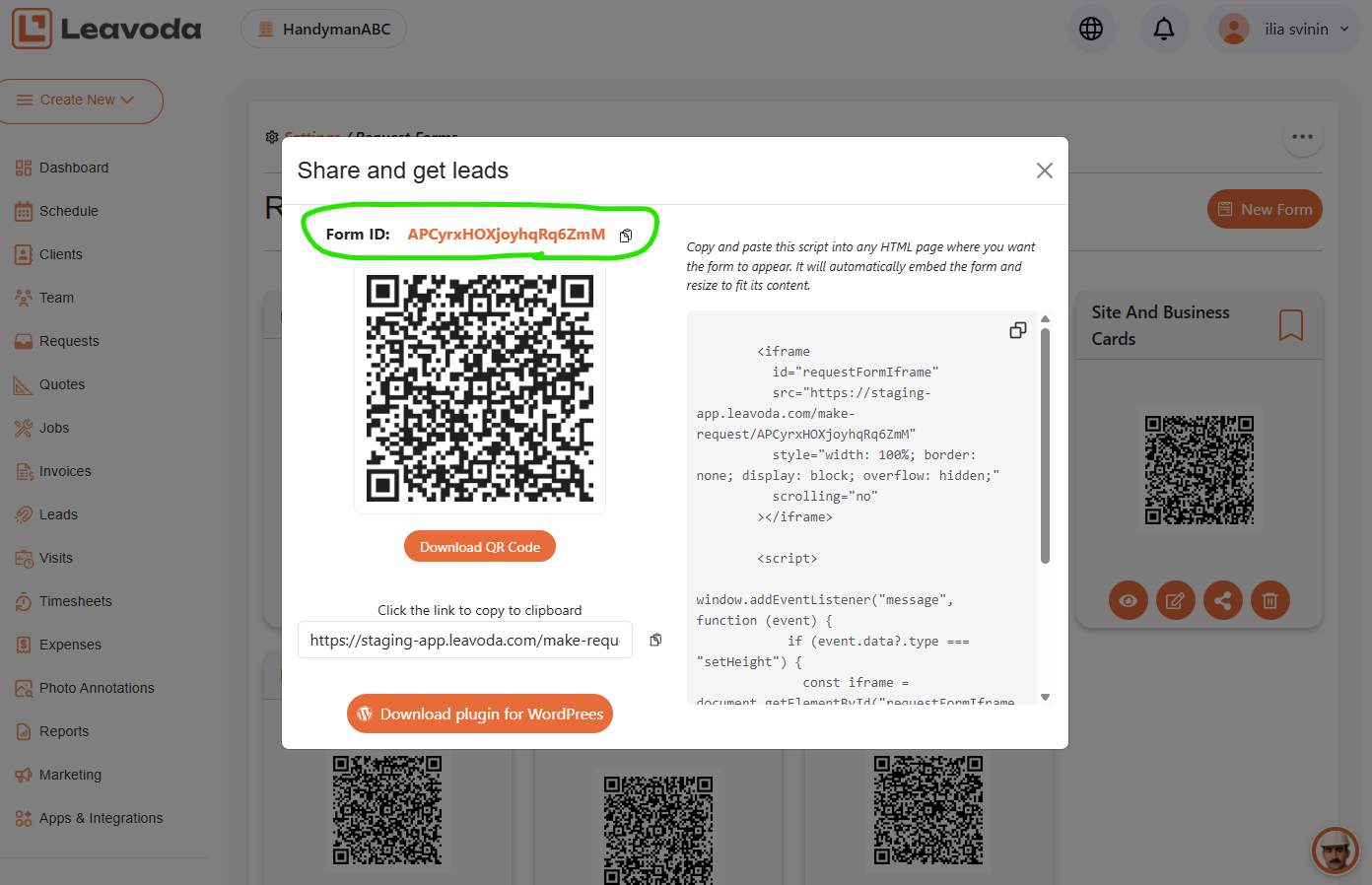
- Add this shortcode to any post or page:
[leavoda_form id="OjFcr8oL45CPBWOrGBkU"]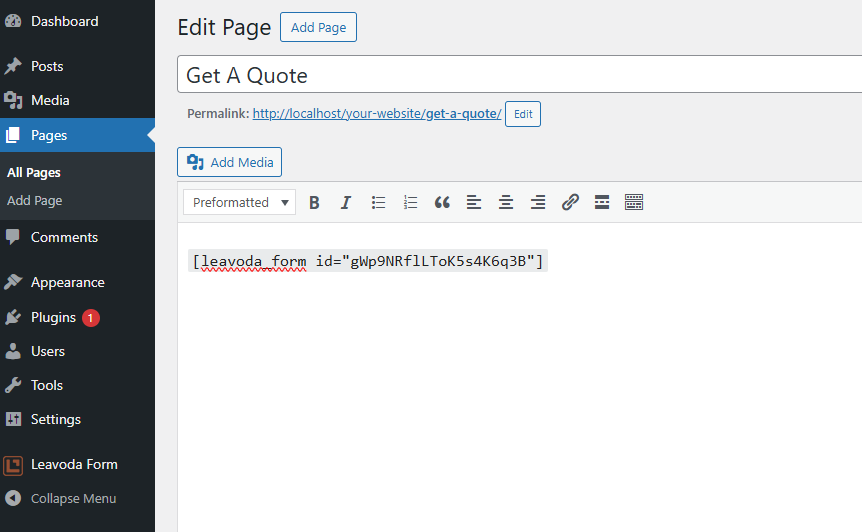
- Click Update button
Troubleshooting
- Form not loading? Check that Leavoda allows your site to embed it in an iframe (X-Frame-Options header must allow embedding).
- Height not updating? Ensure the form page includes JavaScript that sends
postMessagewith the form height.
Contact Leavoda support if you need help configuring your form or embedding permissions.

Fields We Specialize In
Features
Resources
Contacts
- support@leavoda.com
- info@leavoda.com
- 1 (888) 655-6593
- 6500 TransCanada Service Road,
4th Floor,
Pointe-Claire, QC H9R 0A5
Copyright (c) 2026 Leavoda Inc. All rights reserved.